I tried LS RS , CSS , Xpath
Not tried J token & Regex.
How to parse this kind of source
$ 4.2 need to parse.
in browser debugger

In open bullet debugger
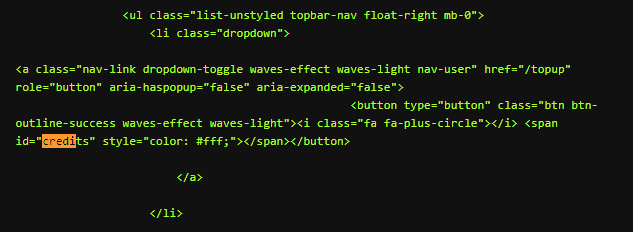
I tried many time but failed. I used delay also but unable to parse.
thank you.
I tried LS RS , CSS , Xpath
Not tried J token & Regex.
How to parse this kind of source
$ 4.2 need to parse.
in browser debugger
In open bullet debugger
I tried many time but failed. I used delay also but unable to parse.
thank you.
If it’s not in the source it means there is an additional request to perform in order to get that data (and then the js on the page will insert it in that place afterwards, but since we’re not using a browser you will have to perform the request manually and parse from the response, usually json).
Please take a look at all subsequent requests that the browser makes and see which one retrieves the correct data.
any tut or guide on this I didn’t found in other requests also.
Or any topic on this … appreciated…
Need to know how to work with J Token and regex parsing methods.
It must be in another request for sure. Check them all in the network tab.
No can’t find anything in other requests .
any other way to parse like this situations ?
I want learn how to use J token and regex parsing in parse block. please guide me.
You cannot parse it if it’s not present in the page!
but in elements section in browser they are available .
I want learn how to use J token and regex parsing in parse block. please guide me.
But if you’re not using puppeteer then you cannot parse it from the DOM since it’s not available ^^
It’s as @Ruri said, the data you want to parse is definitely in one of the subsequent requests, try to capture all the data again using an incognito tab, it will show the data in a json format somewhere in the network mode, or in the debugging tool.
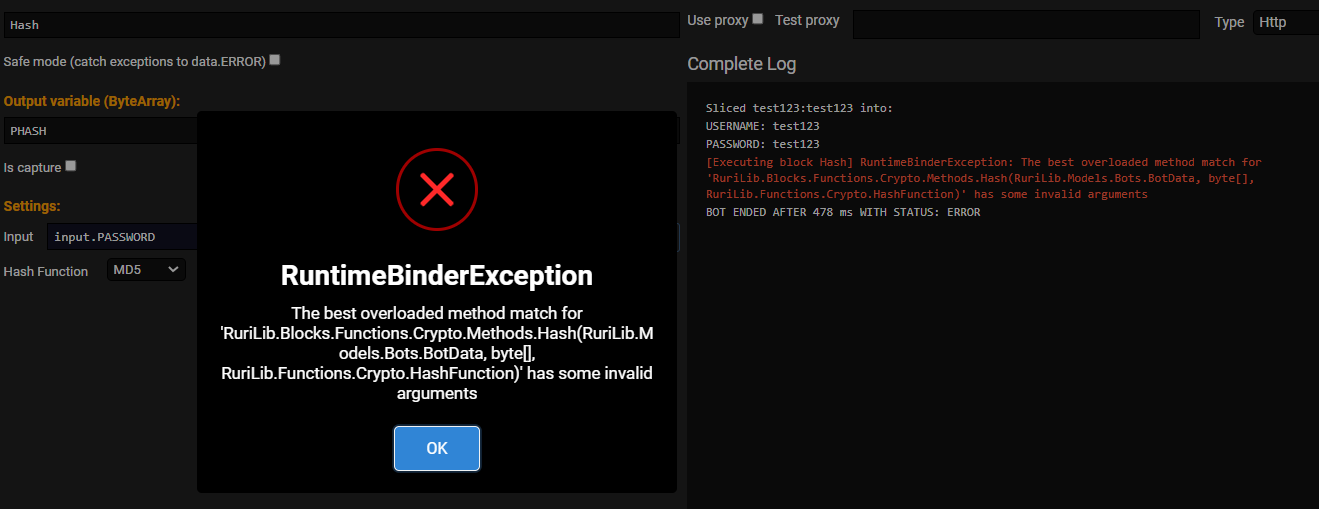
Use the hash string block, not hash.
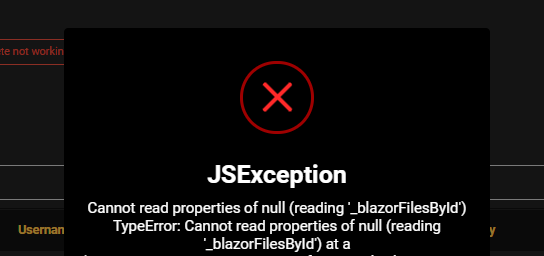
error when importing proxies by file
There is another guy with the same issue on github, maybe post there and give more specifications on the exact steps you took to reproduce the issue so it will help us more
if I used it remotely then it pops unless if it is local admin then it is not pops.
due to unable to found the path it seems
(IP:5000/__framework/blazor.server.js:8:84767)
(IP:5000/_framework/blazor.server.js:8:84907) at Object. (IP:5000/_framework/blazor.server.js:8:86846) at IP:5000/_framework/blazor.server.js:8:84566 at Object.next (IP:5000/_framework/blazor.server.js:8:84671) at IP:5000/_framework/blazor.server.js:8:83583 at new Promise () at r (IP:5000/_framework/blazor.server.js:8:83328) at Object.readFileData (IP:5000/_framework/blazor.server.js:8:86748) at IP:5000/_framework/blazor.server.js:1:70368
Please can you post this over on the github issue? It will be disregarded if you keep posting stuff here ^^ thank you!
not added for proxy API?
to scrape proxies from API regualarly ?
for just adding to proxies it is 1 time. but how regularly ?
Job options → proxy sources → add a remote source
for each job need to add . How to set for all jobs as we used in OB1
Not possible. If you want you can clone the job so you don’t have to set the same options, instead of creating a new one.